Copy Transfer Action
One of the main functions of the Sigmafine IMM Add-In is the ability to copy a transfer (movement) action. Only daily level Transfers can be copied. In the Copy Transfer window, you have the ability to change the data on the copied transfer.
To copy a transfer action, use one of the following methods:
- In the Transfer dockable window, select the transfer you want to copy.
- On the Transfer dockable window toolbar, click on the Copy button.
OR
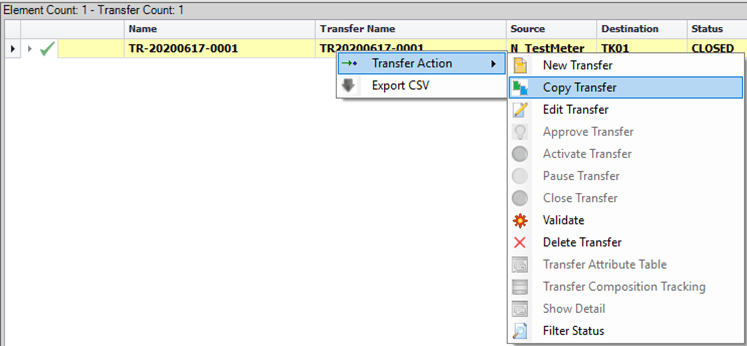
Right-click on the transfer you want to copy and select Transfer Action > Copy Transfer, as shown in the following image.
A Copy Transfer window opens in which you can enter the required information.
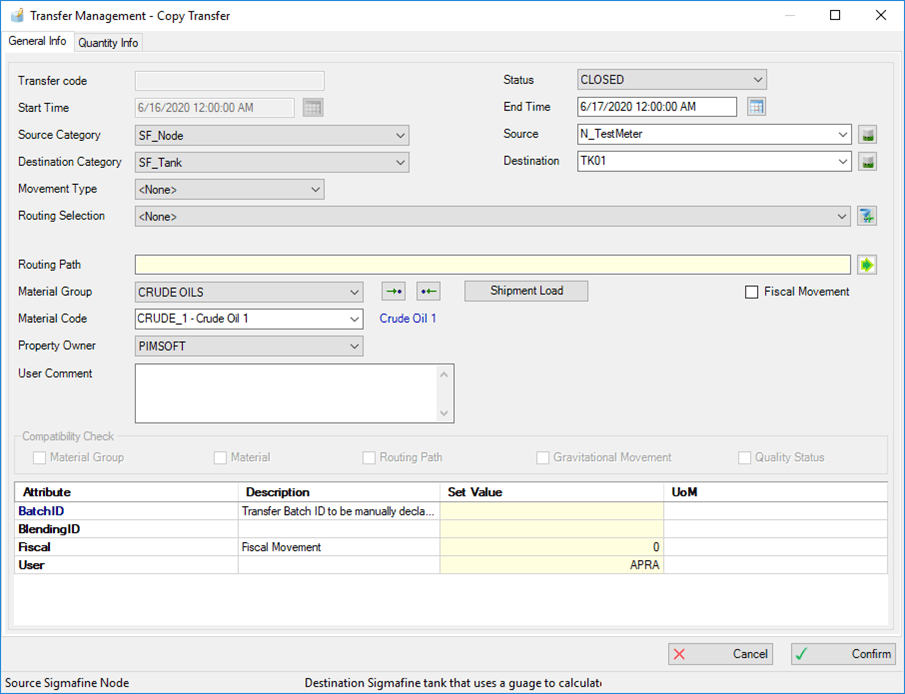
Click the Confirm button to create a copy.