Display Tank Detail
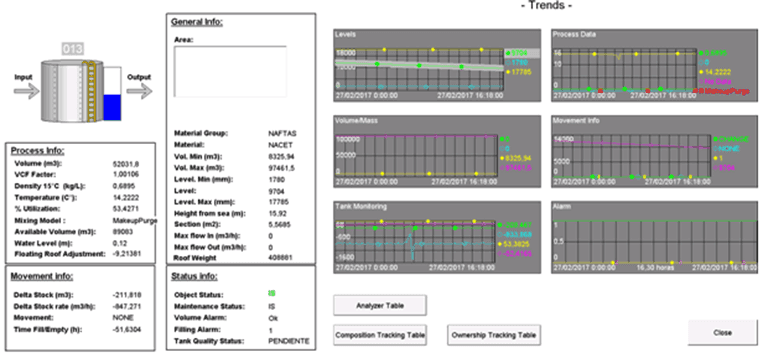
The Display Tank Detail feature opens a new window containing a summary of the main information related to the selected tank:
- Input/output movement
- Run-time trends
- Attribute setting and process data
To open the Display Tank Detail window:
Open the Tank dockable window.
From the IMM Toolbar, click on the
 Tank button to open the Tank dockable window.
Select the tank for which you want to change the trend.
Right-click on the tank for which you want to view the details, and select Tank Action > Display Tank Detail.
The details for the select tank display in a new window.