Change Tank Status
The Change Tank Status feature allow you to modify the service status of the selected tank (In Services or Out of Service).
To modify the tank status:
Open the Tank dockable window.
From the IMM Toolbar, click on the
 Tank button.
Right-click on the tank for which you want to change the status.
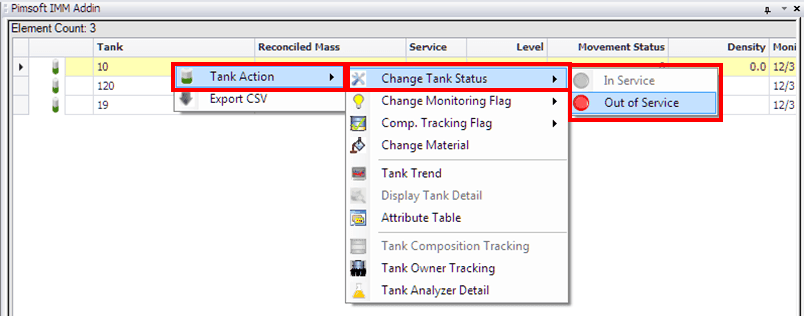
Select Tank Action > Change Tank Status and then select In Service or Out of Service.