Composition Tracking Flag
The Composition Tracking Flag feature allows you to enable (True) or disable (False) the composition tracking calculation for a specific tank. It modifies the 'CompositionTrackingBalanceFlag' value for the selected tank.
To modify the Composition Tracking Flag:
Open the Tank dockable window.
From the IMM Toolbar, click on the
 Tank button.
Right-click on the tank for which you want to change the composition tracking flag.
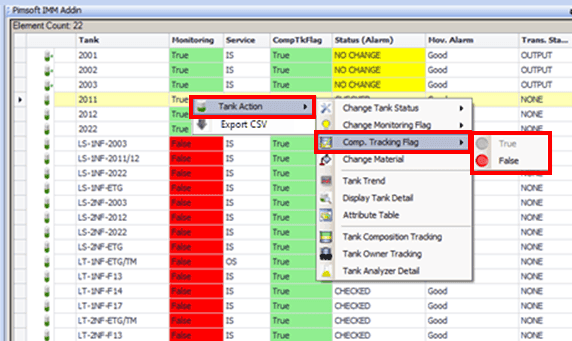
Select Tank Action > Comp. Tracking Flag and then select True or False.