Component Viewer for Inventory
For inventory elements without an attached analyzer Element in the model, you need to set the reconciled component data Attribute manually before these elements can participate in the component mass balance. You can do this initialization using the Component Data Reference Component Viewer in the first component mass balance analysis Case which is created.
When used for inventory initialization, the Component Data Reference launches the Component Viewer for Inventory. The Viewer is used to present a visual representation of the component data set for inventory elements.
For a detailed procedure about configuring the component data attribute, \see under Analysis Rules.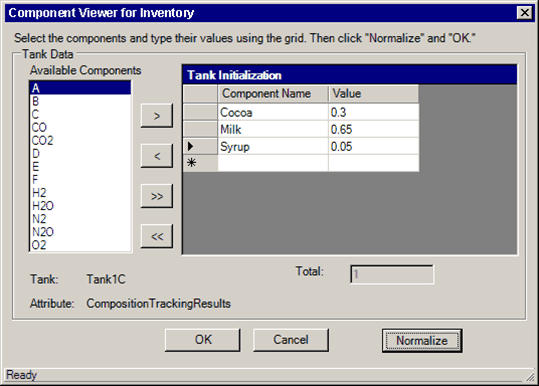
Component Viewer for Inventory Attribute descriptions
| Input Box / Button | Description |
|---|---|
| Available Components | Select a Component. The Component list is based on the table specified in the SF_Component Table. |
| Component Name | Read-only field displays name of the component. |
| Normalize | Click to normalize the entered values. Normalization is not required. |
| Total | Read-only field displays the total from the table. |
| OK | Click to close and save your changes. |
| Cancel | Click to close without saving changes. |