Rename an Analytic
On your Studio Analytics dashboard you have the ability to change the name and description of an analytic at any point in time. Though when you change the name, ensure that other analytics which reference this analytic, reflect the name change as well.
To rename an analytic:
On your Studio Projects dashboard, click on the Project block in which the analytic is present.
The Studio Project [project name] dashboard displays the Analytics, Reports and Workflows associated with that project.
Studio Project - Analytics, Reports and Workflows
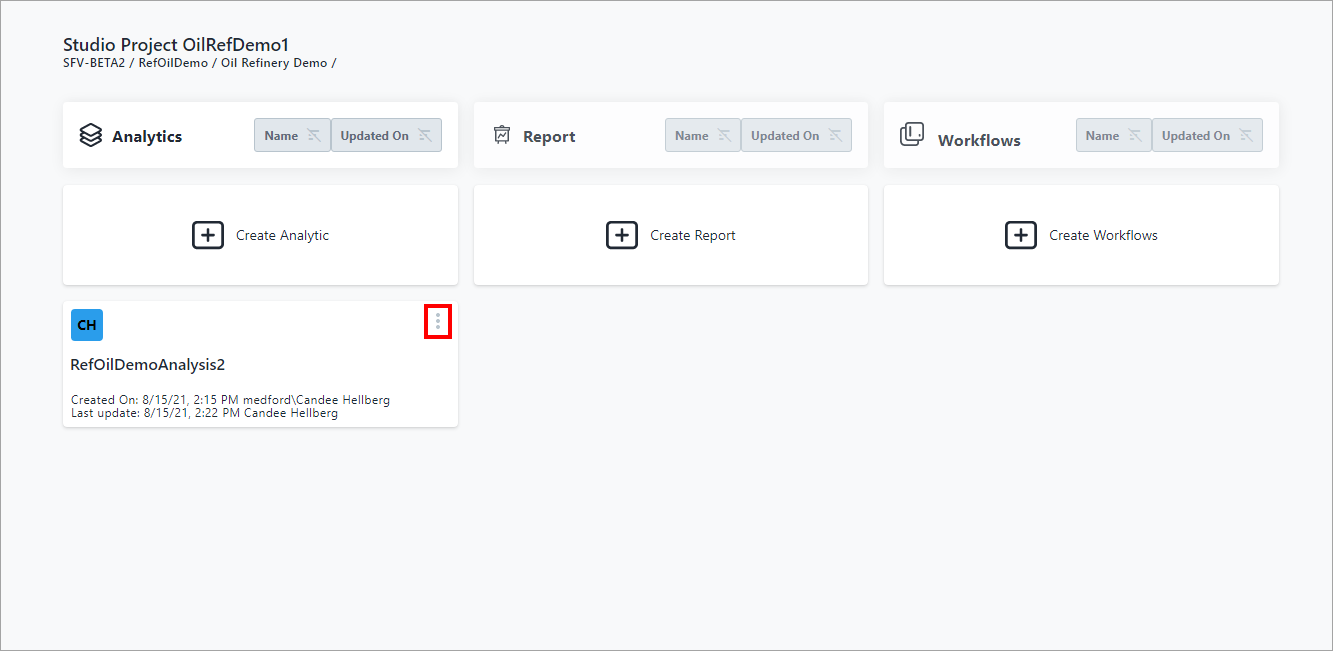
Locate the Analyticyou need to edit.
Click the
 vertical ellipsis in the top-right corner of the analytic block
and choose Rename from the Analytic quick menu (as shown in
Figure 1).
vertical ellipsis in the top-right corner of the analytic block
and choose Rename from the Analytic quick menu (as shown in
Figure 1).Analytic quick menu - select Edit

A Rename panel opens.
Rename panel

Make your changes.
You can change the name and/or add a description for the analysis. If you need to edit the logic for the analytic, see Edit Analytic Logic for additional instructions.
Click Save.
The changes are updated and reflected on the Analytic block of the Studio Project [project name] dashboard.