View Scheduler Instance Queue
The Sigmafine Scheduler Configuration Tool provides a Queue feature that allows you to view monitor the actual status of the Sigmafine re-execution queue. This feature is accessible from the Scheduler Instances area of the Scheduler Configuration Tool window.
The monitoring queue is automatically updated every 10 seconds.
 Example: Sigmafine Scheduler Execution Monitor Queue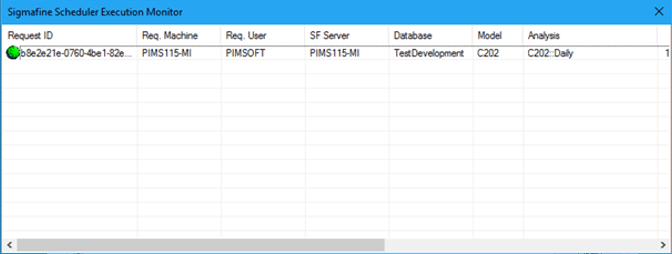
To view the Scheduler Instance Queue:
Under the Scheduler Instances area, click on the Queue button.
The Sigmafine Scheduler Execution Monitor window opens, displaying the actual status of the Sigmafine re-execution queue.