Enable / Disable DB Global Execution
The Sigmafine Scheduler Configuration Tool provides a Sigmafine database toggle feature that allows you to enable or disable the entire database for global execution. By default, it is set to "DISABLED". This feature is accessible from the Scheduler Table area of the Scheduler Configuration Tool window.
Above the actual table is a box that indicates whether the entire Sigmafine database has been enabled for the global execution. By default, it is set to "DISABLED".
To enable the database for global execution:
Under Scheduler Table, click the Enable button to the right of the box displaying "DISABLED".
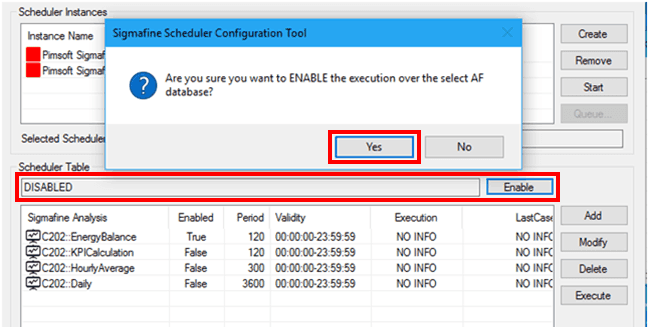
You are asked to confirm your selection.
Click Yes to confirm.
The box displays ENABLED and the button changes to Disable.