Configuring Regional Settings
To configure the language regional settings (i.e. English (United States)) there are some configurations to perform on the client, as well as some AF Table configurations to perform on the server.
Client Configurations
On the client machine, the region and language settings need to be modified to match the settings selected in the IIS Globalization .Net configuration.
Setting the Windows Regional Settings
To configure regional settings on the client:
Open the Windows Control Panel on the client machine.
Open the Region and Language (or Region on Windows 10) window.
Windows 10: Select Appearance and Personalization > Clock and Region > Region.
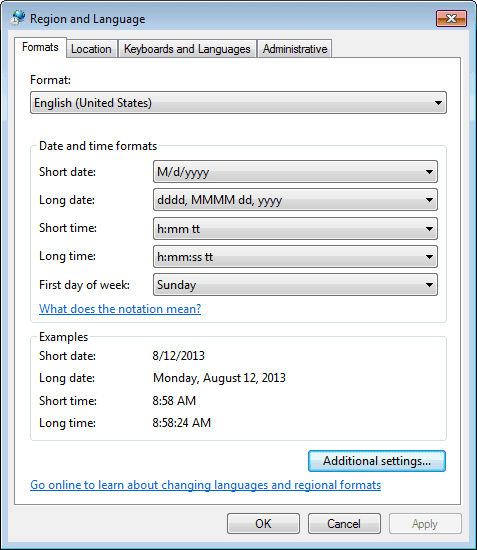
On the Formats tab, select the same options as was set in the IIS Globalization .Net configuration.
Modifications to the IIS Globalization .Net configuration were performed in Modify the IMM Website Parameters, starting with step 6.
Click OK to save your selections and close the window.
AF Table Configurations
Next you need to modify the following AF Table configurations: