Remove Display Setting
While SFHub Administrators have the ability to delete any Default Display Setting, even those created by other administrator users, SFHub Visualizer users can only delete their own Display Settings.
To remove a Display Setting:
Click Create or Edit Display Settings to open the panel.
Create or Edit Display Settings section
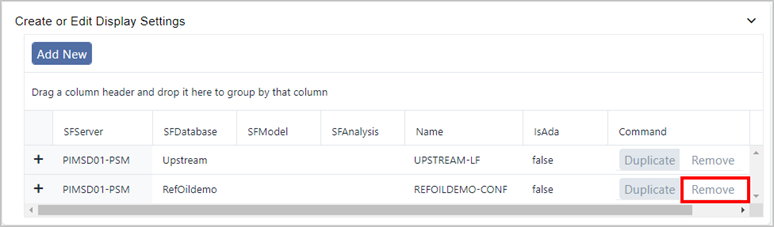
Locate the Display Setting you want to remove, and click its Remove button.
The Display Setting is automatically removed from all the Models to which it is applied.
Repeat the appropriate steps for each Display Setting you want to remove.
If you are finished configuring settings:
- SFHub Admin: Close the SfHubVisualizer Settings panel.
- SFHub Visualizer: Click on the SFHub Visualizer link at the top of the Settings panel.
Your setting is automatically saved. (SFHub Visualizer only: In some instances, you may need to refresh the Display to see your changes take affect.)