Manage Display Settings Defaults
As SFHub Administrator, you can configure the Default Display Settings that are applied to the displays opened by every new user and all users who do not define and use their own Display Settings.
On the SFHubVisualizer Settings page of the SFHub Admin application, you can find two panels:
- Assign Settings to Display and
- Create or Edit Display Settings
you can use to configure the default Display settings.
Select the SigmafineHub Admin application from either your dashboard or SigmafineHub Application menu
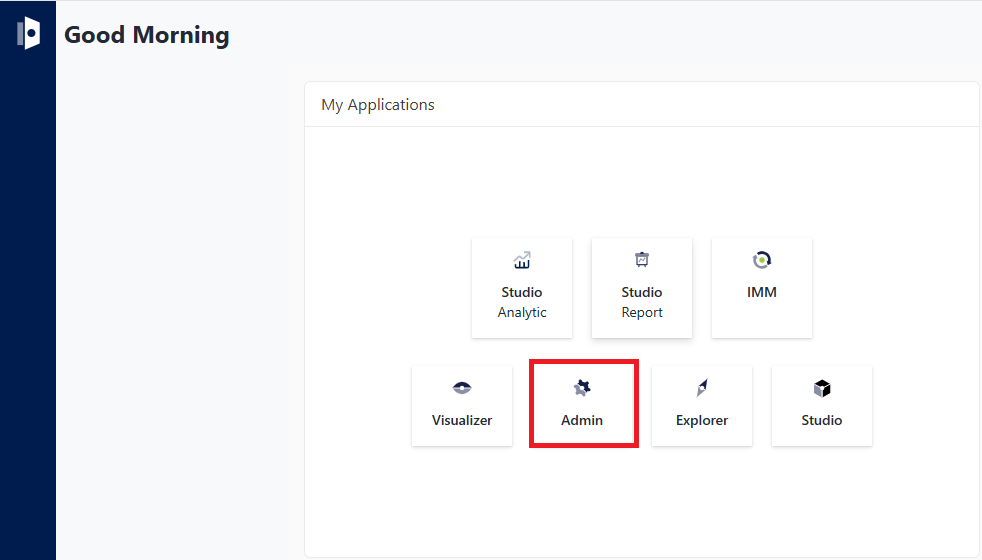
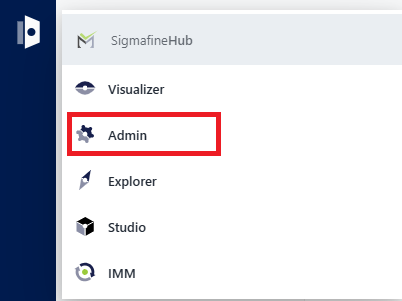
Click on the
 Visualizer Settings icon to open the SFHubVisualizer Settings panel.
Open the Create or Edit Display Settings panel if you wnat to create a new setting or modify an existing one
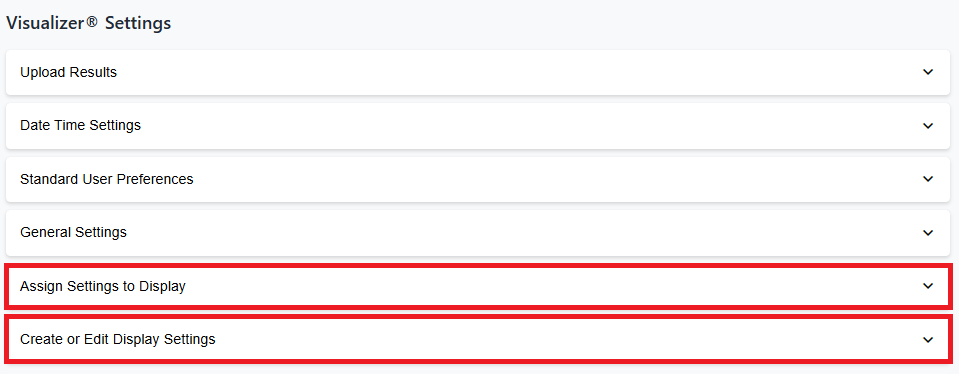
or open Assign Settings to Display you you want to assign a setting to a display.
For more details on working with Display Settings, please see the following sectionstopics.
- Create a Display Setting
- Apply Display Settings
- Modify a Display Setting
- Remove a Display Setting
- Duplicate a Display Setting
- Export/Import Display Setting
The following sectiontopic applies to both User Preferences and Display Settings.