Duplicate Display Setting
You can use Duplicate Display Setting to create a new Display Setting based on an existing one. This allows you to quickly create similar settings without starting from scratch and to use the existing settings as a template for the new one.
The duplicated Display Setting will have the same settings as the original one, but with a different name.
You can only duplicate Display Settings to a server, database, and model visible by your current SFHub instance. If you want to duplicate a Display Setting across different SFHub environments, you can use the Export/Import Display Setting feature.
To duplicate a Display Setting:
Click Create or Edit Display Settings to open the panel.
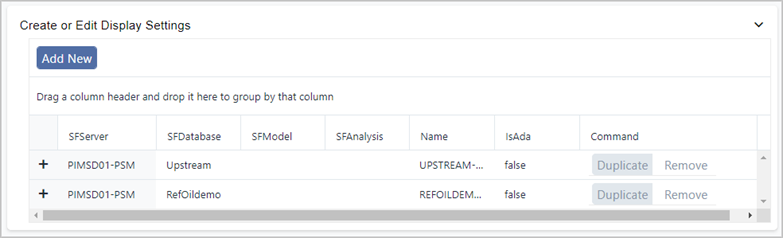
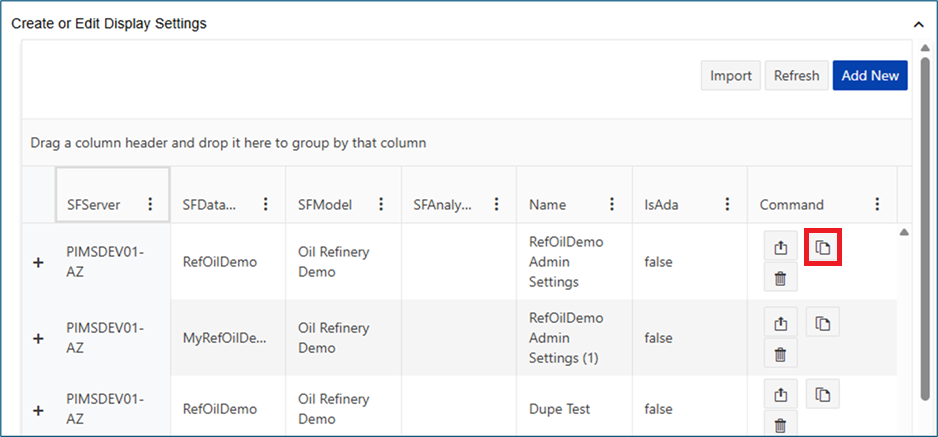
Find the Display Setting you want to duplicate.
Click the Duplicate button associated with the Display Setting you want to duplicate.
In the Duplicate Display Setting dialog, enter a name for the new Display Setting.
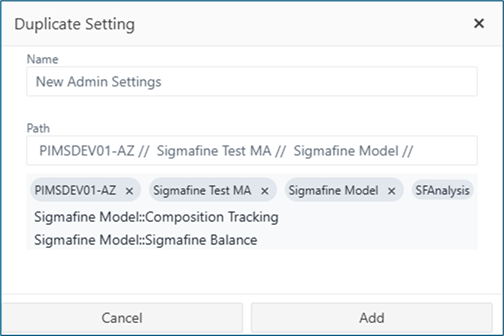
Select the Server, database and model to be associated to the imported display.
Click the Add button to create the new Display Setting.