Special Analytic Variables
SFHub Studio provides a set of analytic variables that allow you to generalize the logic implemented by the analytic itself.
The following table provides information regarding these variables.
| Analytic Variable Name | Description |
|---|---|
| $$Element | Contains the element context from which the analytic has been activated. |
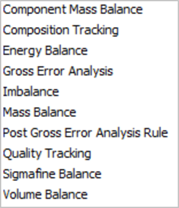
| $$A_Name | Name of the Sigmafine Analysis of the selected Case. Following table summarize the allowed Sigmafine analysis names. |
 | |
$$A_<AnalysisParameter> | Set of Analytic variables storing the configuration of the Sigmafine Analysis where <AnalysisParameter> is the key string addressing the Sigmafine Analysis configuration parameter. |
The analytic variable $$AA_MeasMeter contains the name of the meter measure mass attribute configured for the analysis.
The use of these Analytic variables (aliases), contributes to make your SFHub Studio Analytic more generic, avoiding referencing hard coded attribute names.
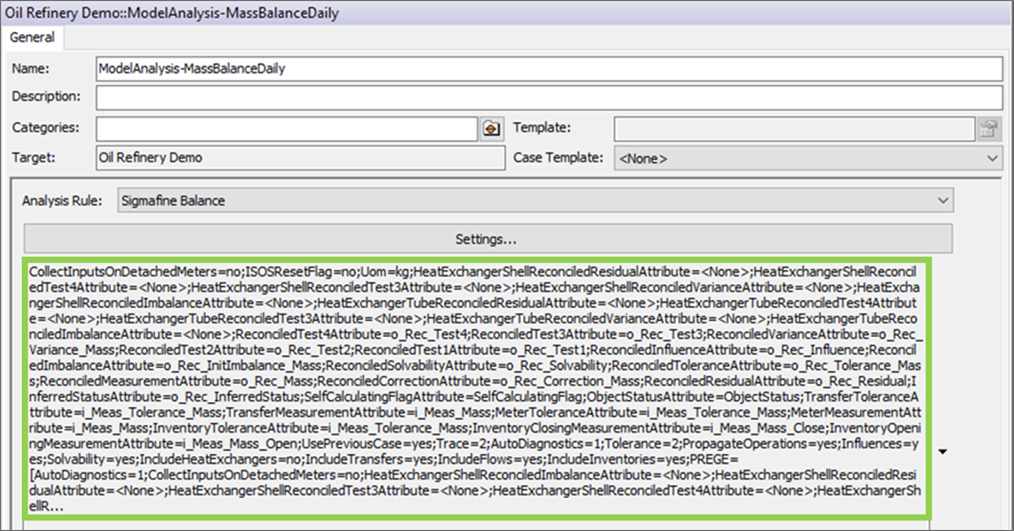
The analysis parameter names are visible in the serialized string of the analysis configuration recorded in the AF Server, based on the following format:
'analysis parameter'=value
Example of Analytic variable configuration
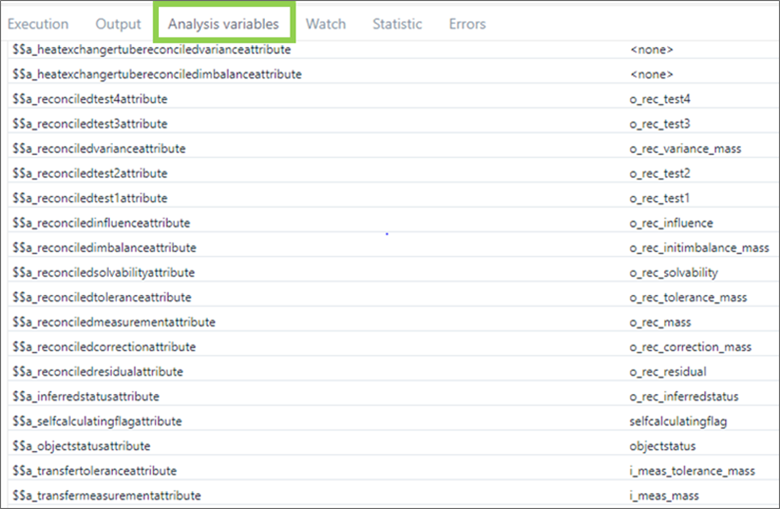
Optionally, SFHub Studio developers could have an overview of the Sigmafine Analysis parameters selecting the Analytic variables tab of the SFHub Studio Debug window.
Analytic Variables - Analysis Parameters