Stream Property Retriever Configuration
The Stream Property Retriever window is used to select the Attribute to be used for retrieving the stream information, the phase of the stream you want to retrieve properties from, and to select what part of the stream you want to review.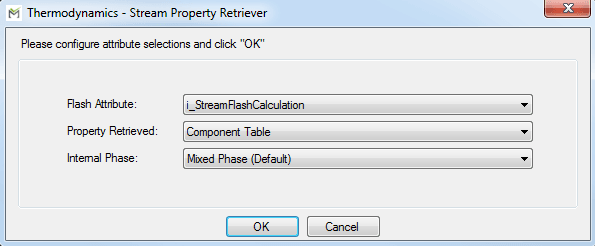
To configure the Stream Property Retriever options:
Click the Flash Attribute down arrow and select the Attribute from which to retrieve the stream information.
Only Attributes in the current Element with the Thermodynamics Package extension configured as 'MethodType=Flash' are available for selection.
Click on the Property Retrieved down arrow and select the part of the stream you want to review.
Used in conjunction with the “Internal Phase:” selection (step 3 below), you are able to look at 3 different properties: component tables, flows, and molecular weights. The “State” and “BIC Table” options are independent of the internal phase selected. “State” gives you the calculated state of the stream as dictated by the flash. “BIC Table” will output a DataTable with the binary interaction coefficients that are unique to the current slate of components.
To view a DataTable in SF System Explorer, please see View a DataTable in SF System Explorer.
Click the Internal Phase down arrow and select the phase from which you want to retrieve properties.
Unlike with the Stream Flash Calculation configuration, this does not affect the stream properties by selecting the different phases. Instead, it pulls the values from specific parts of the stream that the flash has already calculated.
Click OK to save the configuration and close the window.
 EXAMPLE: Property Retrieved options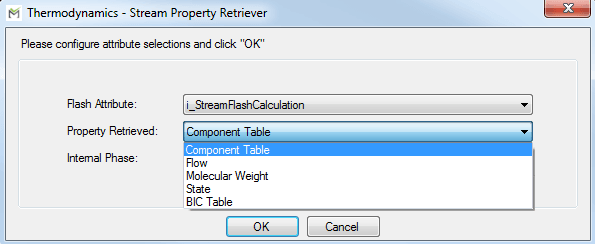
View a DataTable in SF System Explorer
To view a DataTable in SF System Explorer:
Click the attribute's Value column.
An ellipsis
 button appears next to the attribute.
Click the ellipsis
button to open the table in a new window.