Calculations Configuration
The Calculations Configuration window allows you to select the Attribute from which the calculation retrieves the stream information and select the calculation to perform.
To configure the Calculations options:
Click the Calculation Type down arrow and select the calculation you want to perform.
Depending on your selection, Attributes following the 'Flash Attribute' can change. Possible variations are:
Automatically defaults to 'Not Used' with no other options available
An example of 'Method' can be seen in Figure 1262: Calculation Configuration - Method Not Used.
Displays a warning message when the calculation only calculates based on the selected assay components in the composition. If no assay components are present in the stream, a message is output as the result of the 'CAUTION' calculation.
Phase allows you to select either the liquid or vapor to output. The calculation outputs different results depending on the compositions of the phases. This variation differs from the 'Added Mixture Phase' in that there is no possibility to select the Mixed phase, as the calculations are not valid for the mixed phase.
The selections here are the same as the 'Phase' attributes, but with the addition of the 'Of Mixture' Attribute as a possible selection.
 Stream Element and Stream Attribute
These two selections allow you to choose a second stream to calculation the difference. The configuration window changes to allow for the selection of both the Element and the Attribute from which to pull the second stream. Only Attributes in the selected Element with the Thermodynamics Extension configured as 'MethodType=Flash' are available as selections in the second stream’s Attribute list.
For the Flash Attribute selection, do one of the following:
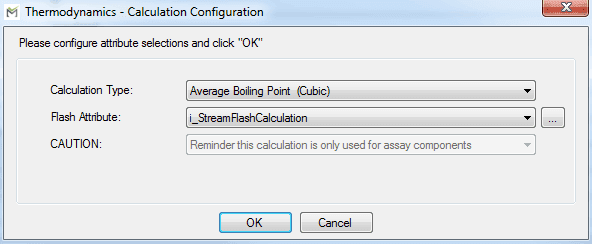
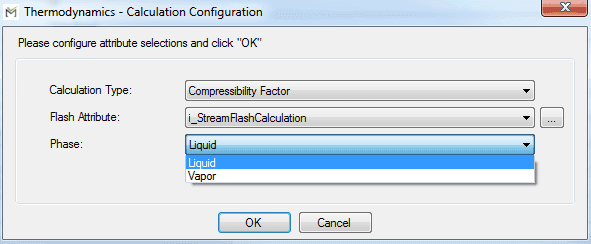
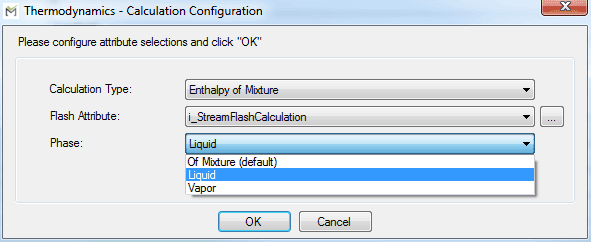

Click the Flash Attribute down arrow and select the Attribute the calculation should use to retrieve stream information.
Note: Prior to SFVisualizer 4.7.0, only Attributes in the current Element with the SFVisualizer Package extension configured as 'MethodType=Flash' are available for selection. Starting with version 4.7.0, the addition of an ellipsis
 button (as shown in Figure 1262) allows you to select other element's Attributes with the 'MethodType=Flash' configuration.
Click the ellipsis
button to select an Attribute from another element.An "Attribute Search" window opens allowing you to enter specific information to find the Attribute you want to use. Please see the Searching for an Attribute \topic for details.
When you select an Attribute from another element, the Attribute is displayed as 'Element|Attribute' in the selection list and the configuration string.
Important! If you deselect the Attribute in a later configuration, it no longer displays in the drop down. Should this happen, you can use the ellipsis button to search for it again. Please see the Searching for an Attribute \topic for details.
- If you chose a 'Calculation Type' that allows you to make one or more additional selections, click on each selections down arrow and choose the option you want to use.
- When finished, click OK to save your configuration and close the window.