Searching for an Attribute
With the release of the 4.7.0 version of the SFVisualizer Extension, the Attribute Search window has been included to support selecting flash Attributes from different elements. The ability to search for an Attribute is useful when the current Element doesn’t have the flash Attribute you would like to use. The ellipsis  button has been added to the Thermodynamics – Calculation Configuration window to provide this selection capability. Figure 1267 provides an example of the "Attribute Search" window.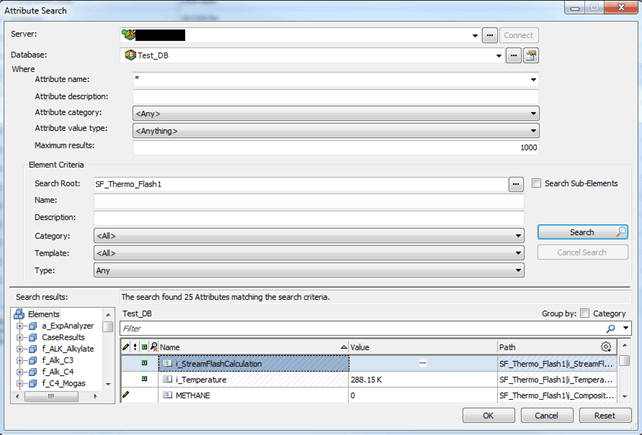
To find an Attribute in the Attribute Search window:
Select and/or enter the search criteria that can help you find the Attribute you want.
The more details you can provide, the better your results.
When ready, click the Search button to initiate the search process.
Results from the search appear in the bottom left of the window under the 'Search results' area.
Scroll through the results to locate and select the Attribute you want.
Click OK to choose that Attribute and close the window.