Confirming the Import
After an import has completed, it is usually good practice to ensure that the import was successful.
To confirm the import:
Open System Explorer.
Open the Case where the data was imported.
Select the import destination Element and Attribute.
Under the Value column, ensure that the imported data matches what was in the Excel spreadsheet or .csv file.
If you imported tables, then you will need to:
Under the Value column, click on the Data Table cell.
Click on the
 ellipsis button next to Data Table.
The Data Table Edit window opens.
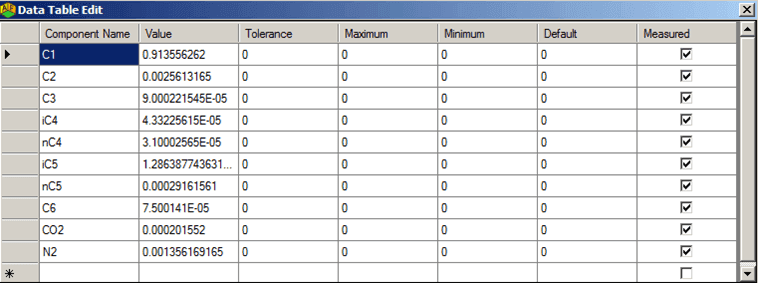
Confirm that the displayed data matches the source Excel spreadsheet or .csv file.