Port Overview
Elements in a Model are connected through any number of ports. A port can be defined as an input port, an output port, or as an undirected port. The port defines how many connections can be made and the types of elements that can be connected. For a newly-created template, no ports exist until you define them (for instructions, see Defining Ports).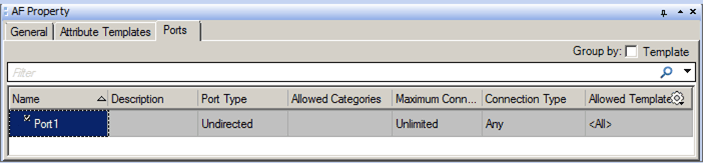
 EXAMPLE: Element SF_Flow1 with Three Ports
In the following figure, the Flow Element called 'SF_Flow1' has three ports (indicated by the blue Xs): an input, and output, and an undirected port for connecting to Measurement elements. Definitions for these ports are listed in the 'Ports' tab.
Definitions for ports can be found under the Ports tab of the select Element or Element template in the AF Property window.
When defining ports, keep the following restrictions in mind:
- Inputs can connect only to outputs, and outputs only to inputs.
- Undirected ports can connect only to other undirected ports.
- Connection types and Element templates can enforce additional restrictions.