Scripts (User Functions)
Scripts (also referred to as "User Functions") are objects managed by the scripting and custom .NET assembly advanced service. They allow you to define advanced business intelligence rules and embed them into the Integration Framework within an Integration Rule. A script can be used to:
- Create a custom validation rule (e.g. create a complex filter of the data)
- Perform advanced data transformation (e.g. aggregate only data that are matching a specific complex condition)
- Add data exchange advanced recovery rules in case of errors
- Add post-integration steps (e.g. temporary objects cleanup and database pruning activities)
 EXAMPLE: Scripting window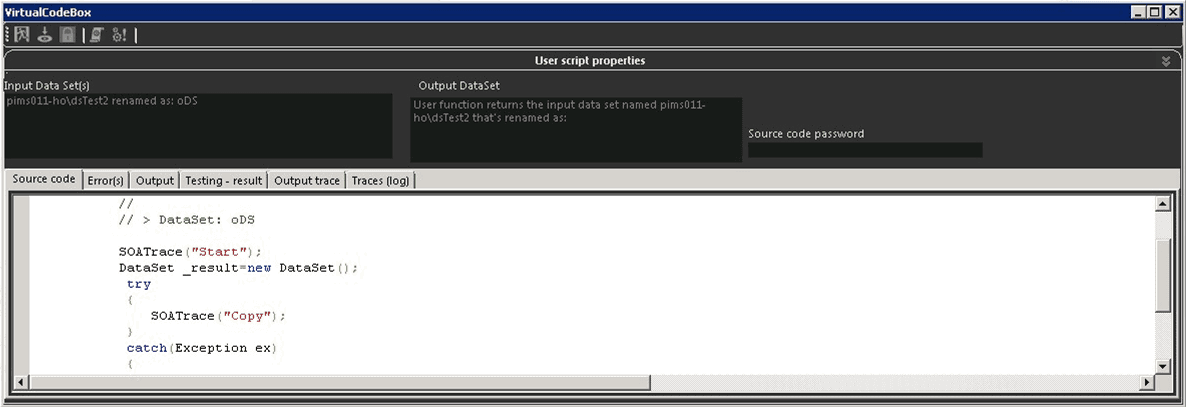
An Integration Framework script can intake parameters and datasets, and output to the following:
- Dataset - Another dataset with the same structure of the dataset being passed as input, or a different, custom dataset.
- \<None> - Void the result of the output
Basically, the scripts are pieces of .NET code that are compiled and stored in the Integration Framework. They can be activated and executed only during Integration Rules, and cannot be used in other places within Integration Framework. The scripts are available only for high-level customizations (even a full .NET assembly definition and implementation is feasible) of the Integration Rules and should not be used for custom programming.
Script Features
Scripts possess the following features:
- Code compiling and linking as assembly: only validated code can be executed
- Function naming and description
- Code locking to prevent malicious code modifications
- Advanced tracing capabilities
- Ability to define and configure input parameter list (name of objects, type, formats)
- Ability to reference external or .NET Global Assembly Cache (GAC) assemblies like standard .NET projects