Activate the Temporary License
To activate the temporary license:
Run the SQL Access Client application (SigmafineSQLAccessClient.exe).
For the initial log in (first time only), a Connect to Sigmafine Services window opens.
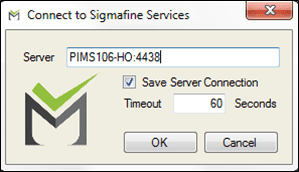
In the Server box, type the server hostname and port in
hostname:portformat. EXAMPLE: Server - hostname and port
PIMS106-HO:4438Check the Save Server Connection checkbox, if not already checked.
(Optional) Change the Timeout in Seconds if you prefer something other than the default of 60 seconds.
Click OK to save your settings and close the window.
It is during this step that the temporary evaluation license is generated and the current Windows user is registered in the server as an Admin user.
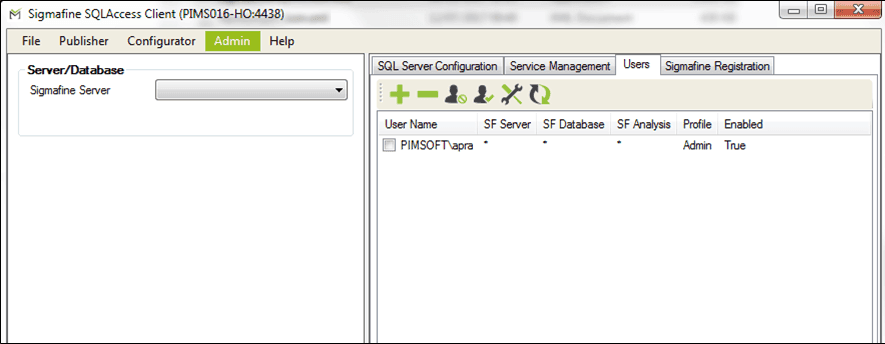
The Sigmafine SQLAccess Client window opens, displaying the initial Window's user.
You are now ready to move onto the third main step in the process of setting up the SQL Access Server, Configuring the Sigmafine SQL Access Publisher Service.