Check the SigmafineRestServices Installation
To check the SigmafineRestServices Website installation:
Open a browser (e.g. Internet Explorer).
Enter the following URI using the configured
hostname:portin your Web Application.https://[hostname]:[port]/SigmafineServices.svc/ EXAMPLE: URI with a hostname and port
https://PIMSTS470161616:4430/SigmafineServices.svc/Click on Continue.
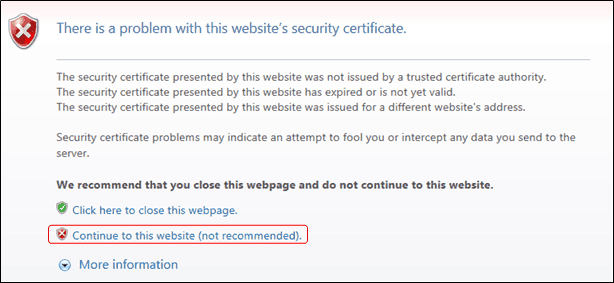
If you receive a security certificate message as shown in the following figure, select the Continue to this website (not recommended). option.
If everything is working fine with the website, you receive a JSON string similar to that shown in the following figure.
