Customizing Publishing Status & Logs Search Requests
When viewing publishing statuses or logs, there is an Advance Search feature that allows you to customize your search request criteria using various filters. The customized search criteria is then used, in lieu of the standard selections made under 'Publishers' (Sigmafine Server, Sigmafine Database, etc.), as the search request criteria for displaying the publishing statuses and logs information. Once created, customized search filters can be enabled/disabled as necessary. When disabled, the standard selections (those selected under 'Publisher') are used in the search.
To customize your search criteria:
Click on Publisher in the primary menu.
Click on the Sigmafine Server down-arrow and select the server on which you want to use custom filters for search requests.
Click on the
 Search icon to open the Advanced Search window.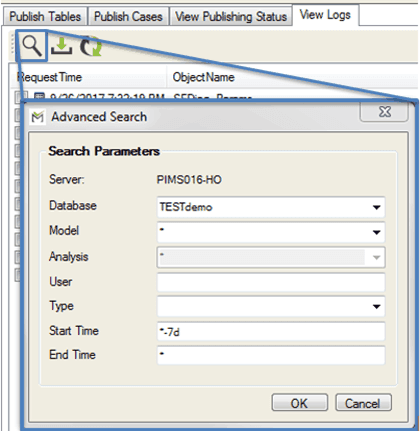
In the Advanced Search window, the Database, Model and Analysis drop-down lists allow you to choose the "
*" wildcard character to include all of that list's options in the search.Fill in the search filter options you want to use for both viewing publishing statuses and for viewing logs.
Click OK to save your search filters and close the Advanced Search window.
A Use Advanced Search Parameters checkbox appears at the bottom of the Publisher pane.

When the Advanced Search Parameters checkbox is checked, the customized filters are used in the search request process for both publishing status and logs. When not checked, the standard selections made under 'Publisher' (Sigmafine Server, Sigmafine Database, etc.) are used in the search request process.
Click the Refresh icon to refresh the list of tables or cases, after enabling or disabling the Advanced Search Parameters feature.