Check the Rest Services Installation
To ensure that the Sigmafine Rest Services installation was successful, you can check the website in your browser.
To check the Rest Services installation:
Open a web browser (i.e. Internet Explorer).
In the Address box, type the URI according to the configured hostname:port in the Web Application.
EXAMPLE:
https://PIMS016-HO:4438/SigmafineServices.svc/A security certificate message prompt may appear.
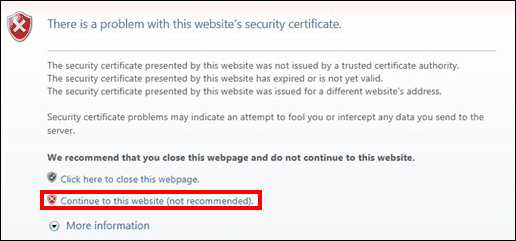
If the above prompt appears, click on Continue to this website (not recommended).
If everything is working properly, you receive a JSON string similar to the following example:

You can now Activate the Temporary License so that you can test the new installation.