Getting Started with the Quality Tracking Viewer
The Quality Tracking Viewer can be used in both System Explorer and ProcessBook. When the Quality tracking viewer is properly set as the Data Reference for the attribute, the configuration string is the following:
Columns:
- Name: Quality Tracking Results
- The name is user specified and can be anything.
- Value: Data Table
- The value is an output from the Quality Tracking Analysis Rule in the form of a DataTable.
- Data Reference: Quality Tracking Viewer
- Settings: QualitySelections=
- The settings show what qualities are selected as a filter right now, when you open the Viewer UI.
- By default, the selections are blank because no qualities are selected from the user interface.
Opening the Sigmafine Quality Tracking Viewer Main Window
To open the Sigmafine Quality Tracking Viewer main window:
Click on the Value column, as shown in the following figure.

Click on the
 ellipses button.
The main Quality Tracking Viewer window opens.
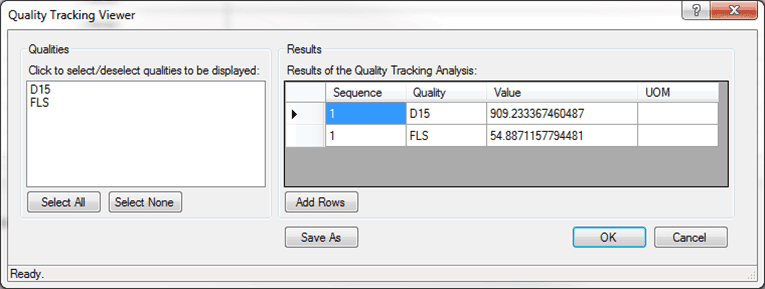
This window shows the calculated or measured qualities of the tank corresponding to the linked analyzers.