Output Attributes
The Output Attribute tab in the Quality Tracking Configuration window provides the Attribute options Attributes to which the analysis writes data.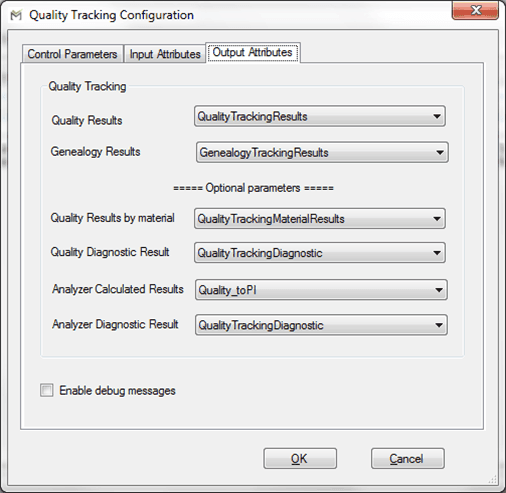
The following table provides the description of each option in the window.
Control Parameters Tab - Required Parameter Options
| Input Box | Description |
|---|---|
| Quality Results | A Data Table Attribute for the results of the quality tracking. |
| Genealogy Results | A Data Table Attribute for the results of the genealogy tracking. |
Control Parameters Tab - Optional Parameter Options
| Input Box / Checkbox | Description |
|---|---|
| Quality Results by material | A Data Table Attribute for the results of the quality tracking by material (optional). |
| Quality Diagnostic Result | An Attribute for storing the diagnostic error code. |
| Analyzer Calculated Results | An Attribute for storing the calculated quality in the analyzers (useful to easily store the results back to the historian). |
| Analyzer Diagnostic Result | An Attribute for storing the diagnostic error code for the analyzer. |
| Enable debug messages | When this checkbox is checked, it enables the display of more detailed messages on the log output of the analysis. That log messages show how the final quality is calculated according the genealogy of the material packets. |
 EXAMPLE: Debug Messages Log