Input Attributes
The Input Attribute tab in the Quality Tracking Configuration window provides the Attribute options from which the analysis retrieves data.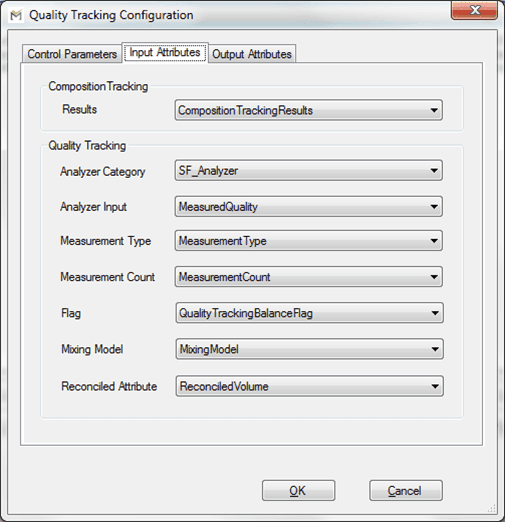
The following table provides the description of each option in the window.
Control Parameters Tab - Composition Tracking Options
| Input Box | Description |
|---|---|
| Results | A data table storing mass, volume of composition tracking. |
Control Parameters Tab - Quality Tracking Options
| Input Box | Description |
|---|---|
| Analyzer Category | A category Attribute for analyzers (to identify if an object is an analyzer). |
| Analyzer Input | The incoming value Attribute name for analyzers. |
| Measurement Type | The quality type Attribute name for analyzers. The quality name must be the same as the Sigmafine Material table and the Sigmafine Quality table. |
| Measurement Count | The Attribute storing the number of valid measurements for the current Case for analyzers. |
| Flag | The quality tracking balance flag Attribute that is used to enable / disable the quality tracking. |
| Mixed Model | The Mixing Model Attribute for inventories. |
| Reconciled Attribute | The Attribute for Reconciled Mass or Volume (according to the chosen basis for the analysis). |