Uninstall a Previous Version
Please ensure that you uninstall any previous version of the Transfer Entry System (TES) prior to installing the new version.
To uninstall a previous TES installation:
Open your Windows Control Panel.
Click on the Programs and Features link.
The list of installed applications opens.
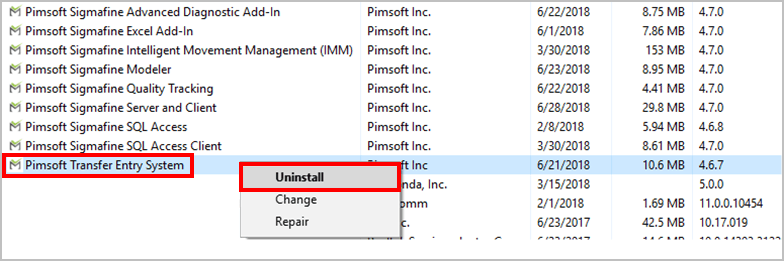
Locate Pimsoft Transfer Entry System in the list and right-click on it.
Select Uninstall from the menu that appears.
Close the Control Panel window.
To verify that the TES install was completely uninstalled:
Using Windows File Explorer, locate the folder where you had the previous version of TES installed.
Usually
C:\Program Files\PimsoftVerify that the Pimsoft Transfer Entry System sub-folder no longer exists.
If the sub-folder still exists, delete the entire sub-folder and all of its contents.