Finalize the SQL Access Publisher Service Configuration
To finalize the SQL Access publisher service configuration:
- In Windows Explorer, go to the Sigmafine SQL Access installation directory.
- Right-click on the
Pimsoft.Sigmafine.SQLAccess.Publisher.exe.file and edit it using Notepad (or any text editor).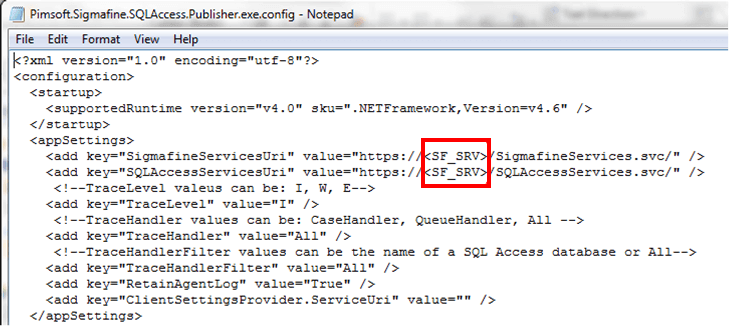
- Change the \<SF_SRV> placeholders to the
ServerName:IPPortwhere the Sigmafine RESTful Services are installed and listening. - Save your changes and then close Notepad (or whatever text editor you are using).