UOM Configurator Tab
The UOM Configurator tab contains a configuration tool that provides the ability to configure unit of measure preferences for each database. This configuration tool is available for both SQL Server and PI Server databases.
The UOM Configurator tab’s toolbar includes:
UOM Configurator Toolbar Controls
| Control | Control Name | Control Description |
|---|---|---|
| Save | Saves every UOM change that you have configured and then, refreshes the list of UOMs for the selected database. If you do not press Save Changes prior to navigating elsewhere in the application, your changes will not be saved. | |
| Refresh | Refreshes the list of UOMs for the selected database. | |
| Reset All to Defaults | Resets all of the UOMs back to their defaults for the selected database only. | |
| Selected Class | Indicates which of the UOM classes you have selected for configuration via the check boxes in the UOM list.When a UOM class is selected, the right-side section of the UOM pane shows the available UOMs that you can configure to be default. |
Figure 1147 may help you better understand the UOM Configurator tool.
Configuring the UOM Default for a Database
To configure the unit of measure default:
- Select Configurator from the primary menu.
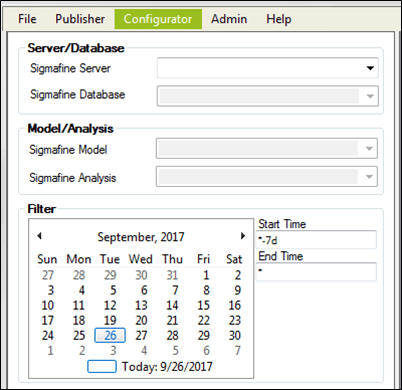
- Click on the Sigmafine Server down-arrow and select the server that contains the database for which you want to select the default unit of measure.
- Click on the Sigmafine Database down-arrow and select the database.
- On the right, click on the UOM Configuration tab.
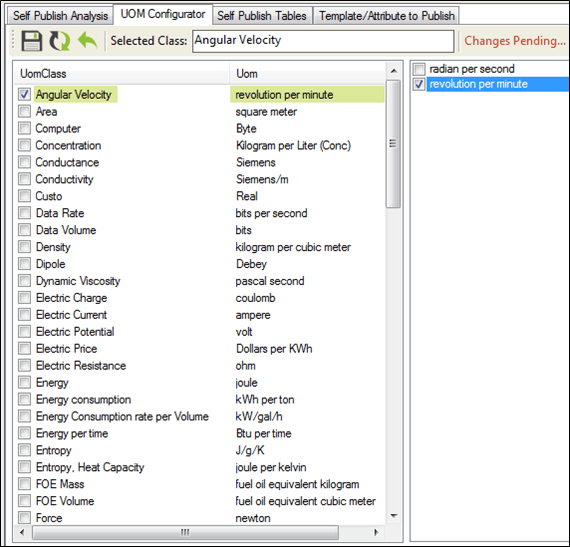
- In the list, check the box next to the UOMClass to use as the default.
- Click the Save icon to save your selection.