Using the Connector Tool
The Connector Tool can be used to add, remove or change connections between symbols.
To use the Connector Tool:
In the display, right-click on a connector.
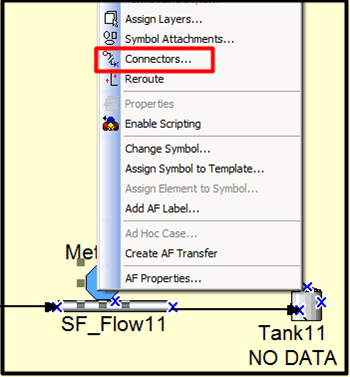
Select Connectors.
The Connectors window opens.
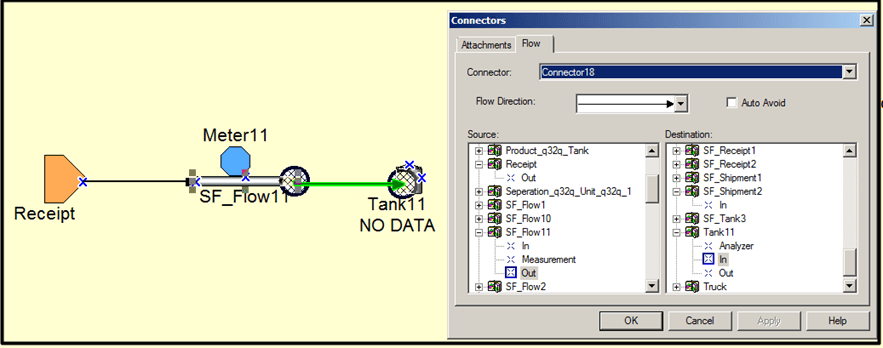
Click on the Flow tab.
Click on the Connector down-arrow and select a connector.
Click on the Flow Direction down-arrow and select the direction flow from the Source to the Destination.
Under the Source list, find and select the beginning element.
Under the Destination, find and select the ending element.
The Connectors window in Figure 928 shows how to select the source and destination for a connection between SF_Flow11 and Tank11, where the output from SF_Flow11 is the source for the input of Tank11.
Click OK to save your selections and close the Connectors window.