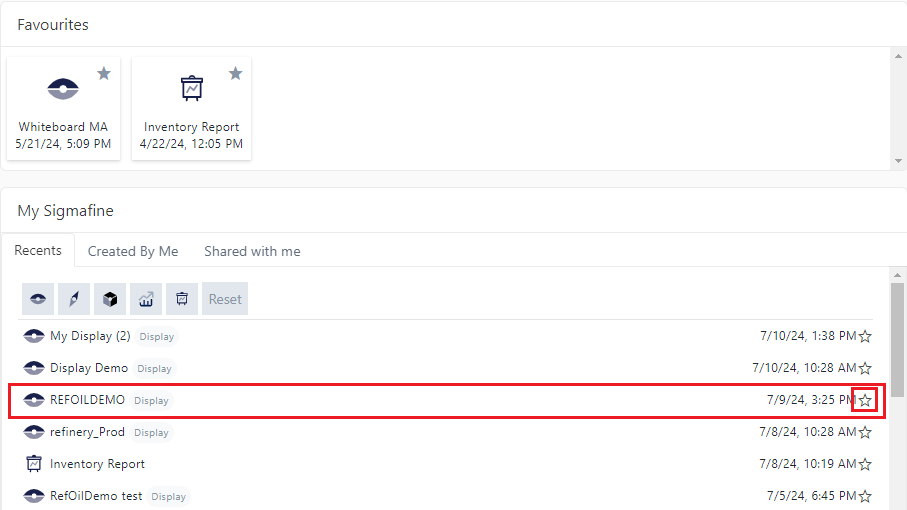
Favorites
The Favorites area of your dashboard is where you place those entities (SFHub displays, projects, analytics and reports) to which you want easy access every time you log into SFHub. Favorites are personalized, meaning that any favorites you save only display on your dashboard; no one else sees your dashboard Favorites but you, and you cannot see any other person's Favorites. Favorites can be added and removed at any time. While there is no limit to the number of Favorites you can have, it is best to just add those that you use most recent otherwise, the Favorites area may become cumbersome to work with.
The following two topics can help you get started with Favorites:
Add a Favorite
To add an entity to your Favorites area:
Find the entity you want, in the My Sigmafine area.
Choose entity to add to Favorites
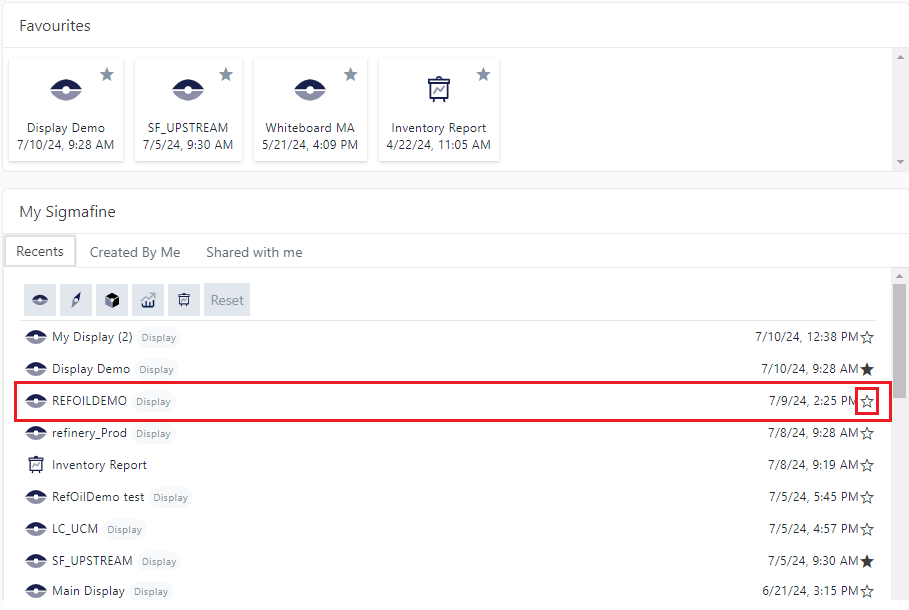
Click on the entity's star outline.
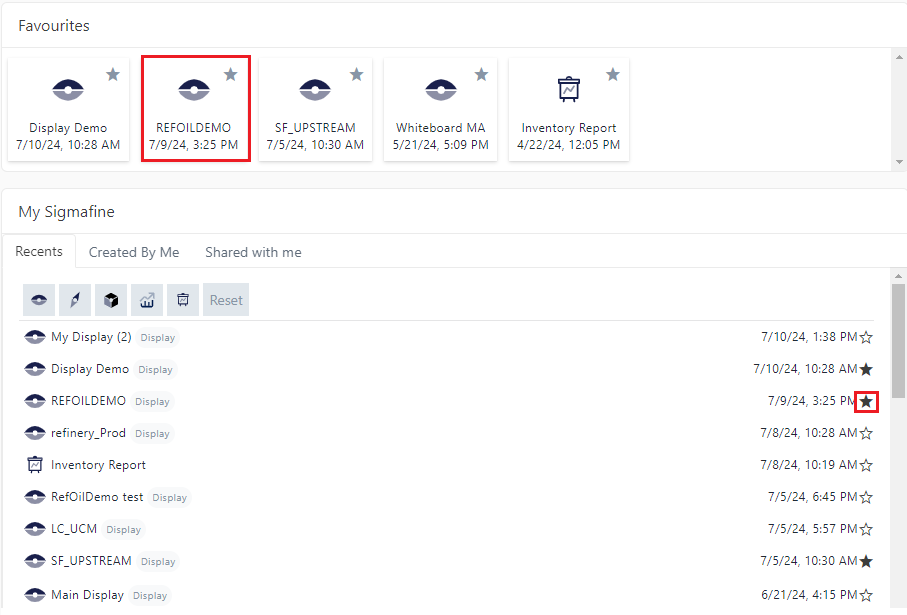
The entity is saved to your Favorites area and the entity in both the Favorites and the My Sigmafine areas display a solid star, indicating that it is a favorite.
Remove a Favorite
To remove an entity from your Favorites:
Find the entity to remove.
You can do this in either the Favorites or the My Sigmafine area of your dashboard.
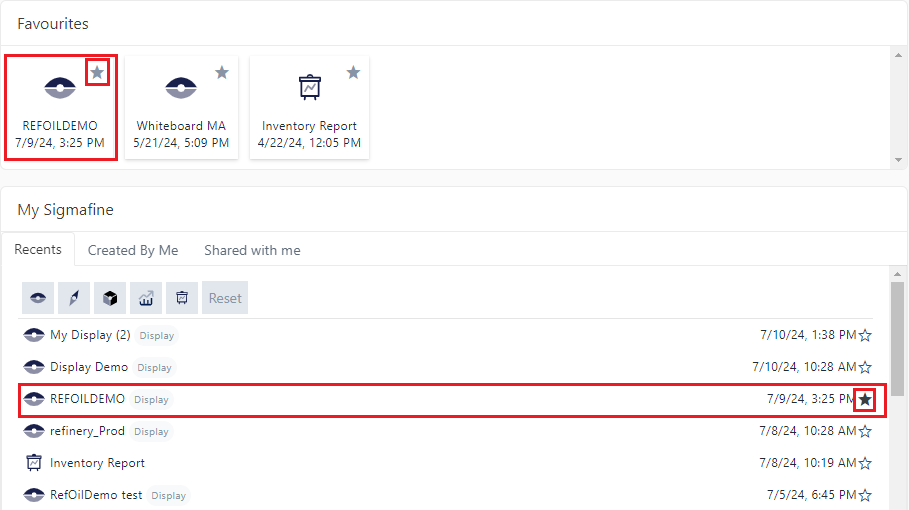
Click on the entity's solid star.
The entity is removed from your Favorites area and the entity in the My Sigmafine area displays a star outline, indicating that it is not a Favorite.