Restart the SQL Access Services Website
To restart the SQL Access Services website:
- Open Windows IIS Manager.
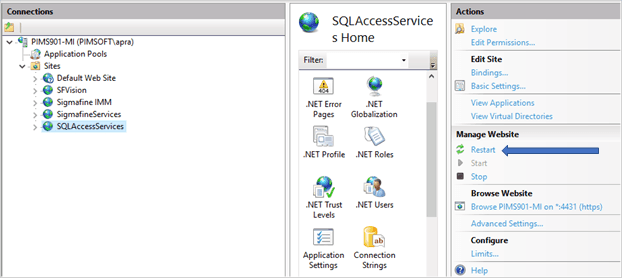
- Under 'Connections', expand the Sites tree.
- Select the SQLAccessServices website.
- In the 'Actions' pane, go to Manage Website.
- Click on Restart to restart the website.