Sigmafine Client Permissions
AF 2.10 Security Settings are set in PI System Explorer through the Database menu.
To access the system security setting:
Open the System Explorer.
Click on the Database button.
The Select Database window opens.
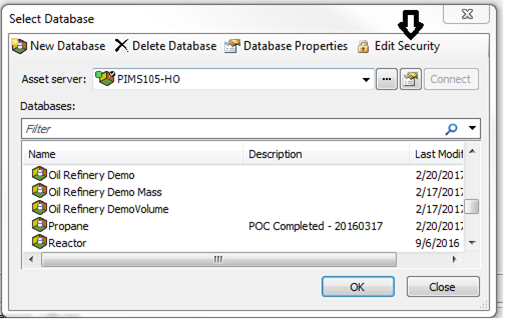
Click on the Edit Security option.
The Security Configuration window opens.
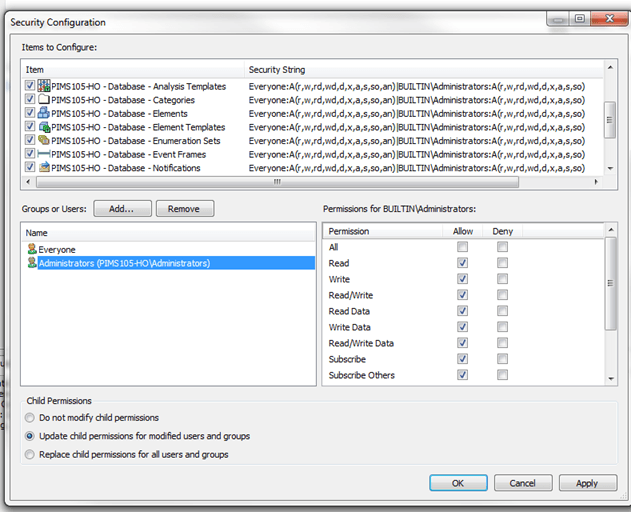
In this window you can add/remove users or grant permission levels for each user.
Make whatever changes you may need.
Click OK to save your changes and close the window.