Verify the Installation
This \topic describes how to verify the correct installation for each one of the Sigmafine Advanced Reconciliation Option components.
- IMM Listener Service
- IMM Listener Configurator
- Transfer Calculation Analysis Rule Plug-In
- Transfer Summary Data Reference Plug-In
Verify IMM Listener Service Installation
In order to check the correct installation of the IMM Listener Service:
- Open the Windows Control Panel.
- Select Administrative Tools > Services.
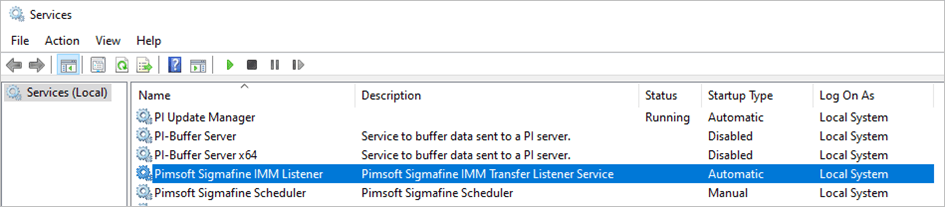
- Check the existence of the Windows service called Pimsoft Sigmafine IMM Listener.
Verify IMM Listener Configurator Installation
To check the correct installation of the IMM Listener Configurator application:
- Using Windows File Explorer, navigate to the 'Sigmafine Advanced Reconciliation Option' installation directory.
- Check for the existence of the IMMListenerConfigurator.exe file.
Verify Transfer Calculation Analysis Rule Plug-In Installation
To verify the correct registration of the Pimsoft Transfer Calculation Analysis Rule plugin:
- Open PI System Explorer.
- In the navigation pane, click on Analysis Rule.
- Click on the Server Properties icon to open the PI AF Server Properties window.
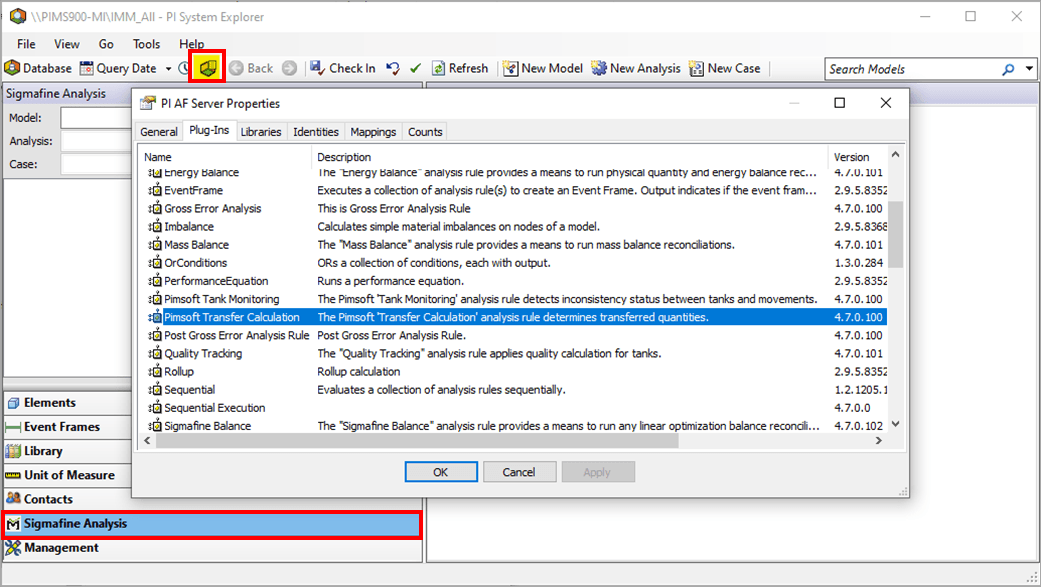
- Click on the Plug-Ins tab.
- Verify the correct registration of the Pimsoft Transfer Calculation Analysis Rule.
- Click OK to close the window and return to the main System Explorer window.
Verify Transfer Summary Data Reference Plug-In Installation
To verify the correct registration of the Pimsoft Transfer Summary Data Reference plugin:
- Open PI System Explorer.
- In the navigation pane, click on Analysis Rule.
- Click on the Server Properties icon to open the PI AF Server Properties window.
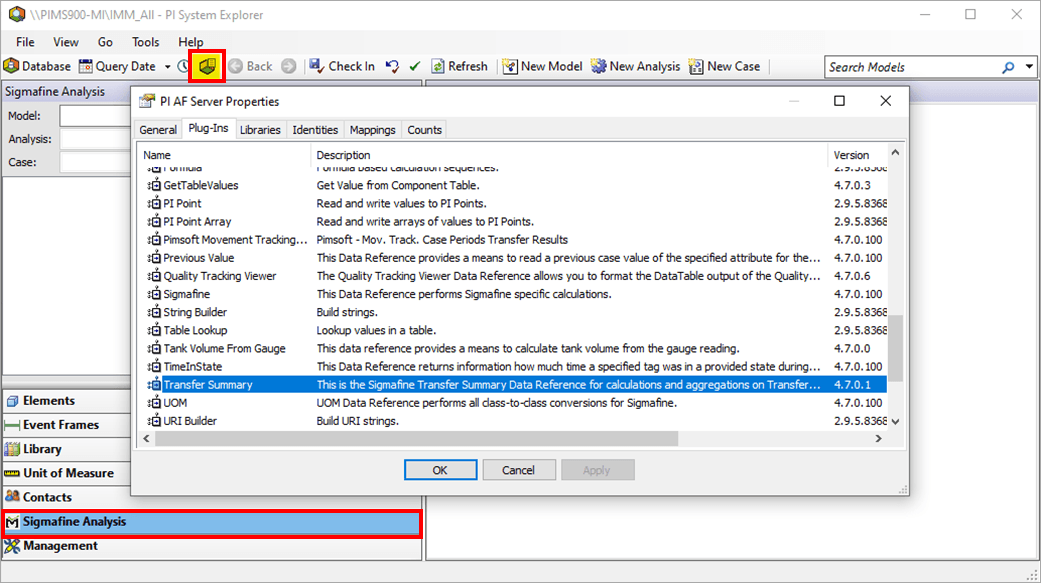
- Click on the Plug-Ins tab.
- Verify the correct registration of the Transfer Summary Data Reference.
- Click OK to close the window and return to the main System Explorer window.