Locating Transfers in SF Modeler
You can search for a transfer in a display in the 'Run' mode.
To locate transfers in the Modeler:
From the menu, select Edit > Find AF Transfer.
The Transfer Search Criteria window opens.
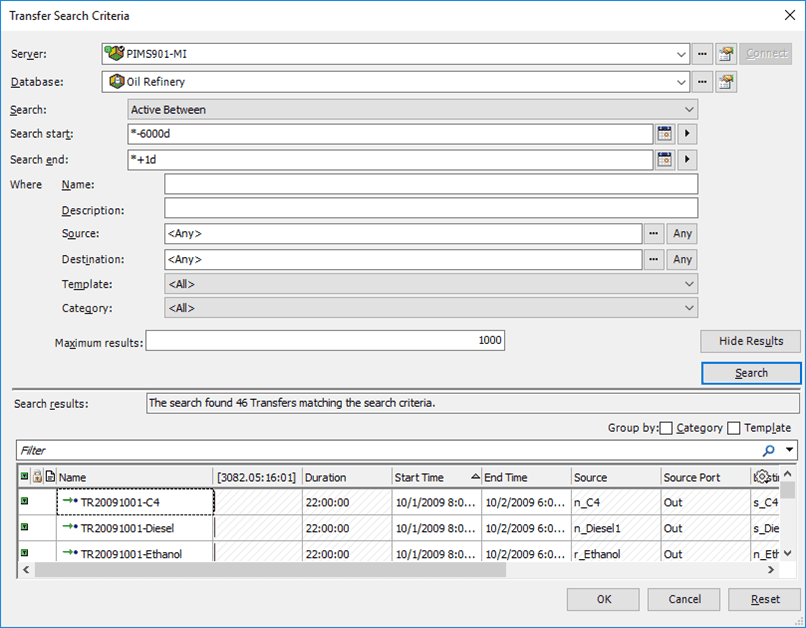
Enter the search criteria that will narrow the results to the transfer(s) you want to locate.
Click the Search button.
Only those transfers matching your search criteria are displayed in the 'Search results' area of the Transfer Search Criteria window (as shown in Figure 136).
In the Search results area, select the transfer that you want to locate.
Click OK.
The transfer you selected is highlighted in the modeler.
