Navigating Connected Elements
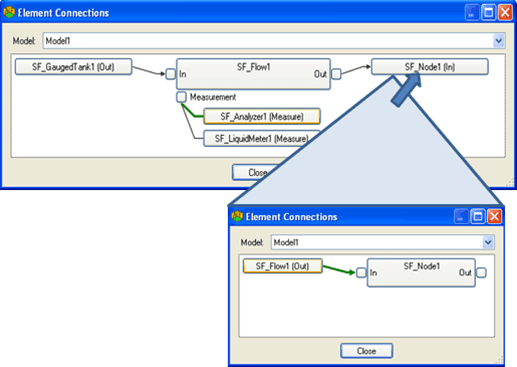
In both the System Explorer and the Modeler, you can use the Element Connections dialog box to navigate elements by their connections. In the dialog box, the large Element is the Element in focus. Click on any other Element to navigate to it and make it the focus.
In the example below, SF_Flow1 is in focus but clicking "SF_Node1(In)" places the SF_Node1 Element in focus.