Create an Energy Balance Initialization Case
The Energy balance analysis rule requires that an initialization Case exist if there are inventory (tank) elements in the model. This is because tank elements have a delta inventory calculation that uses the calculated mass from the previous case. Also, the General Gross Error Analysis, which can be called by this analysis, performs checks on several properties that compare the previous Case with the Case being calculated.
Note: If there are no inventory elements in a case, the Energy Balance analysis can be run without a previous Case selection.
Before creating cases, check the section on Time Rule and configure a time rule for this Model Analysis.
To configure the Analysis Rule case, follow the steps below using either the System Explorer or the Modeler.
Follow the steps under either System Explorer or Modeler.
In the Model Analyses navigation pane, select the Model analysis for which you are creating a case.

Click the Case
 menu button and select New.
In the display with the Model for which you configured an analysis:
 System Explorer
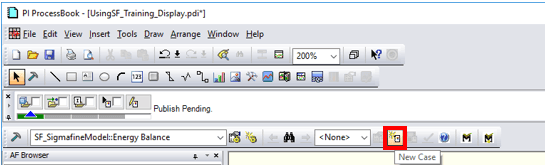
- On the SF Analysis Toolbar, click the New Case button.
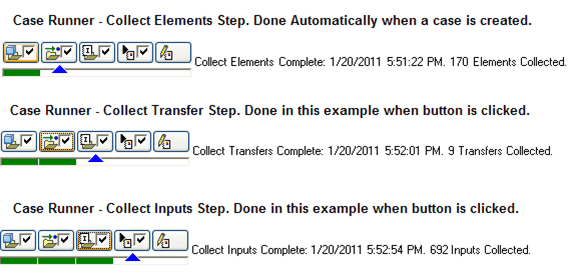
- Use the Case Runner to run the Collect Elements, Collect Transfers and Collect Inputs steps, as shown in the following image.
- Check-in the Case or continue on to create subsequent cases.