Filling In the Energy Balance Quantity Input Tab
The Quantity Input tab contains the selection of calculation input Attributes for the Inventory (tanks) and Flow elements in the model. These Attributes contain the measured and corrected measurements, as well as the measured and corrected tolerances on the measurement. The selected values and tolerances will be the inputs to the Sigmafine Reconciliation engine.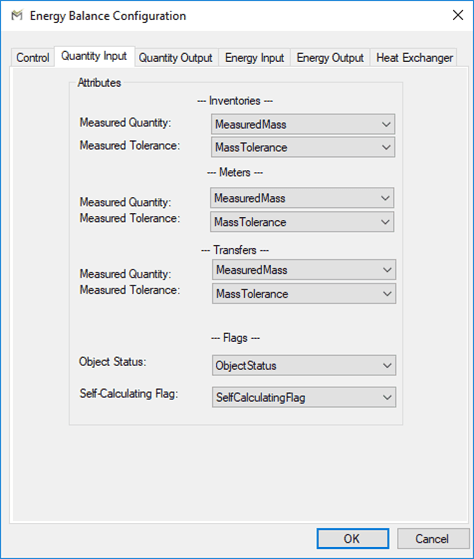
Note that the input values you use for the parameters listed in the following table must be valid ones specified in the Element templates.
Quantity Input Tab
| Elements | Parameter | Default Attribute Name | Description |
|---|---|---|---|
| InventoriesMetersTransfers | Measured Quantity | MeasuredMass 1 | Measured mass value of the element. |
| InventoriesMetersTransfers | Measured Tolerance | Measured Tolerance | Tolerance Attribute of the measured value. |
| All Elements | Object Status | ObjectStatus | Flag indicates whether Element is in or out of service. |
| All Elements | Self-Calculating Flag | SelfCalculatingFlag | Flag indicates whether Element is set to self calculate. |
| 1 The unit of measure of the quantity is determined in the table SF_EnergyBalance parameter named “QuantityUOM.” The preconfigured value for this parameter in UOM of Mass. |